
[ATTENTION! GOOGLE TRANSLATE!]
I decided to expand the road network, and lay paths in the Okran's Pride valley, after which I discovered the following:
In the first screenshot, the roads in their vanilla form are displayed in white.
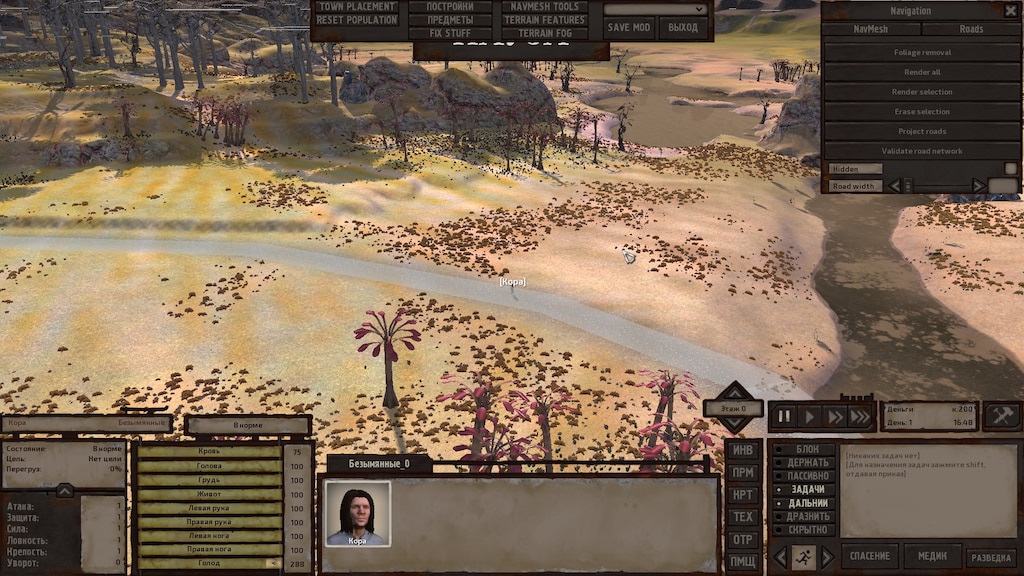
The process of laying new paths is shown below. The paved path and the path to which it adjoins turn blue. Also, the vanilla path splits into two parts at the junction of the new path.
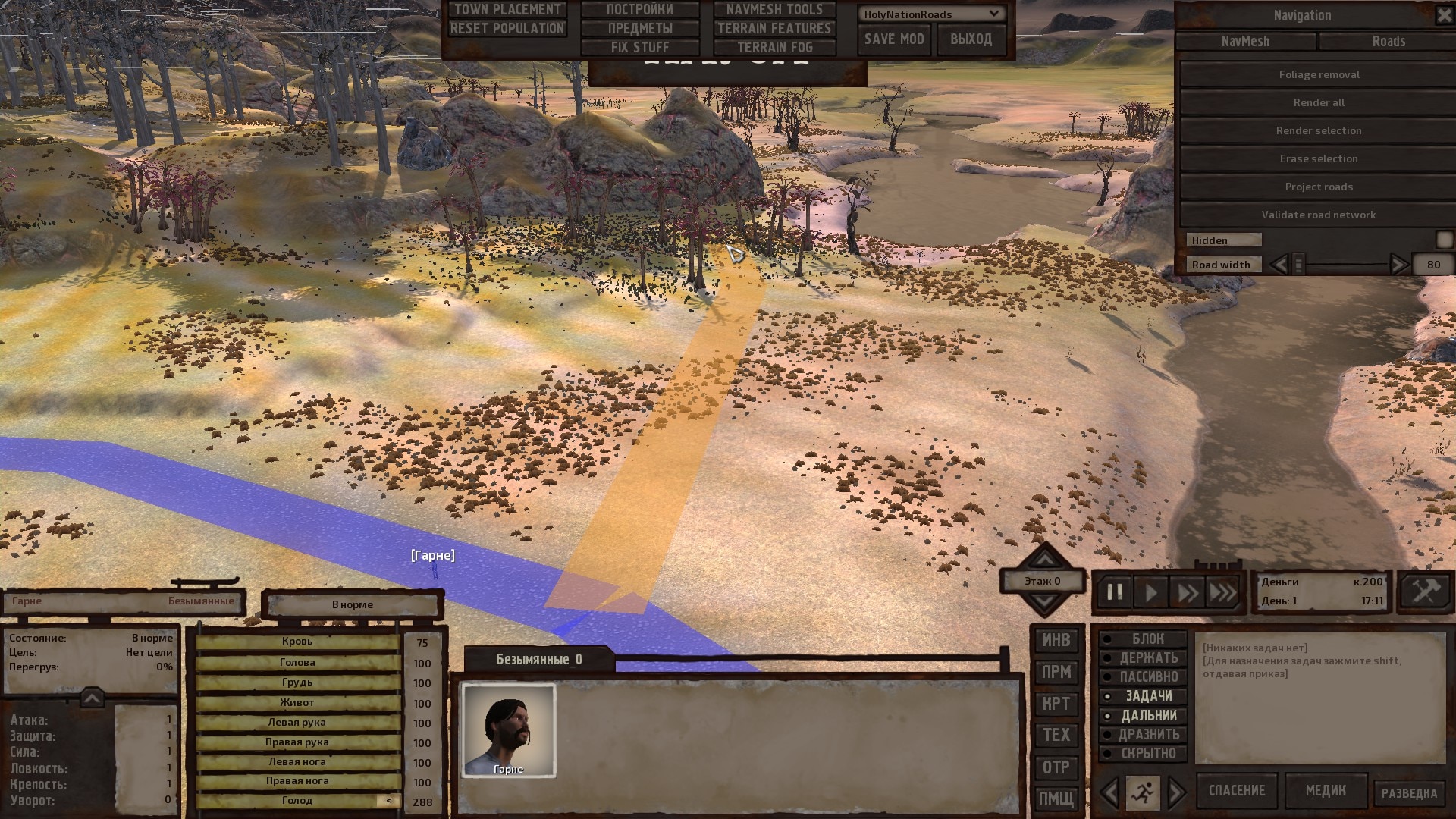
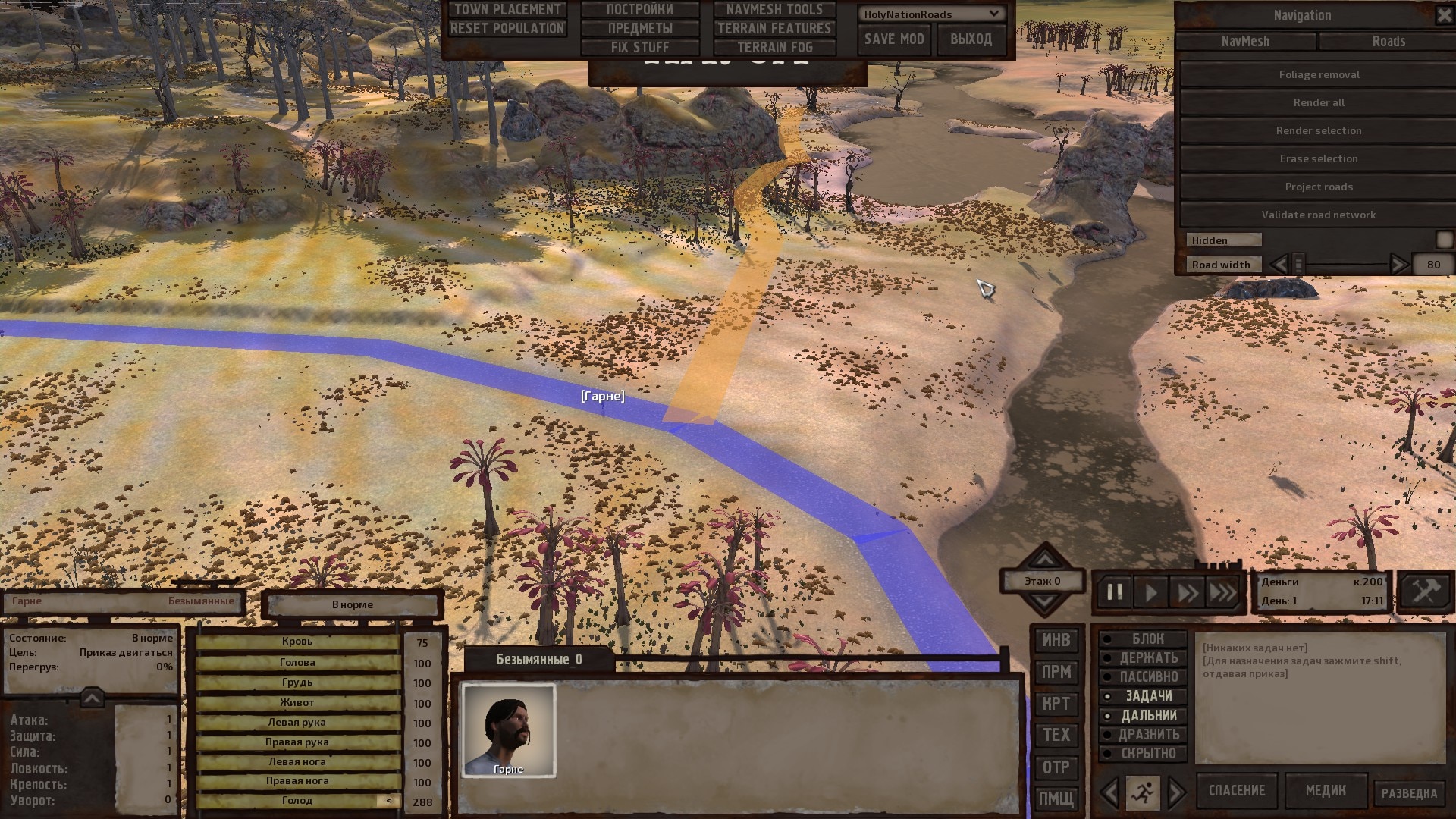
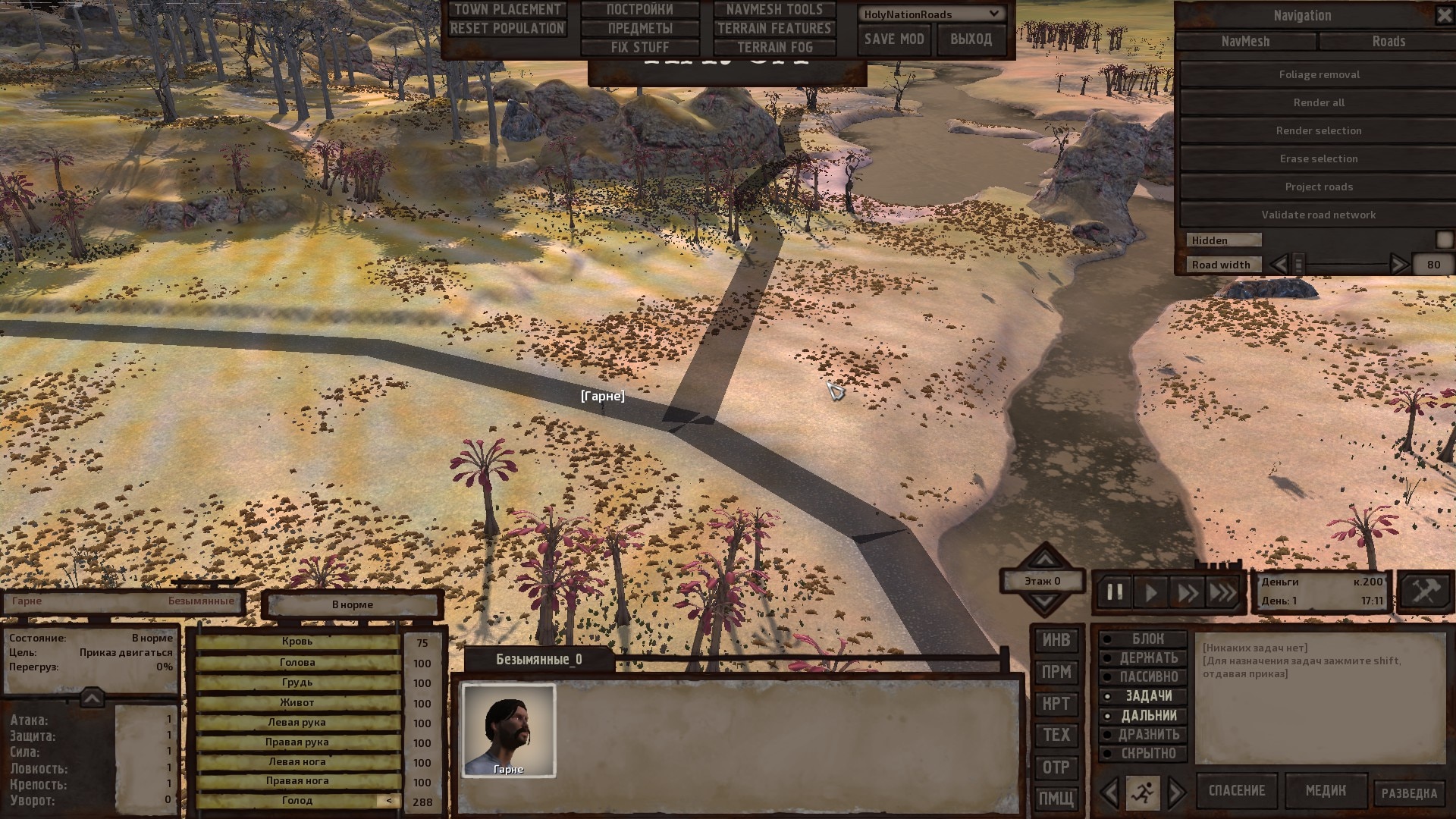
After pressing "Project roads" all three segments turn black.
And then the most interesting thing: when you re-enter the game, the custom segment of the path, and adjacent to it, are painted green and blue, and the character completely ignores these roads. In my test, the path "Bad Teeth - Blister Hill" breaks, while, for example, the untouched route "Stack - Blister Hill" and other roads continue to function. The "Validate road network" tool shows that everything is in order. Rendering roads does not affect the result.
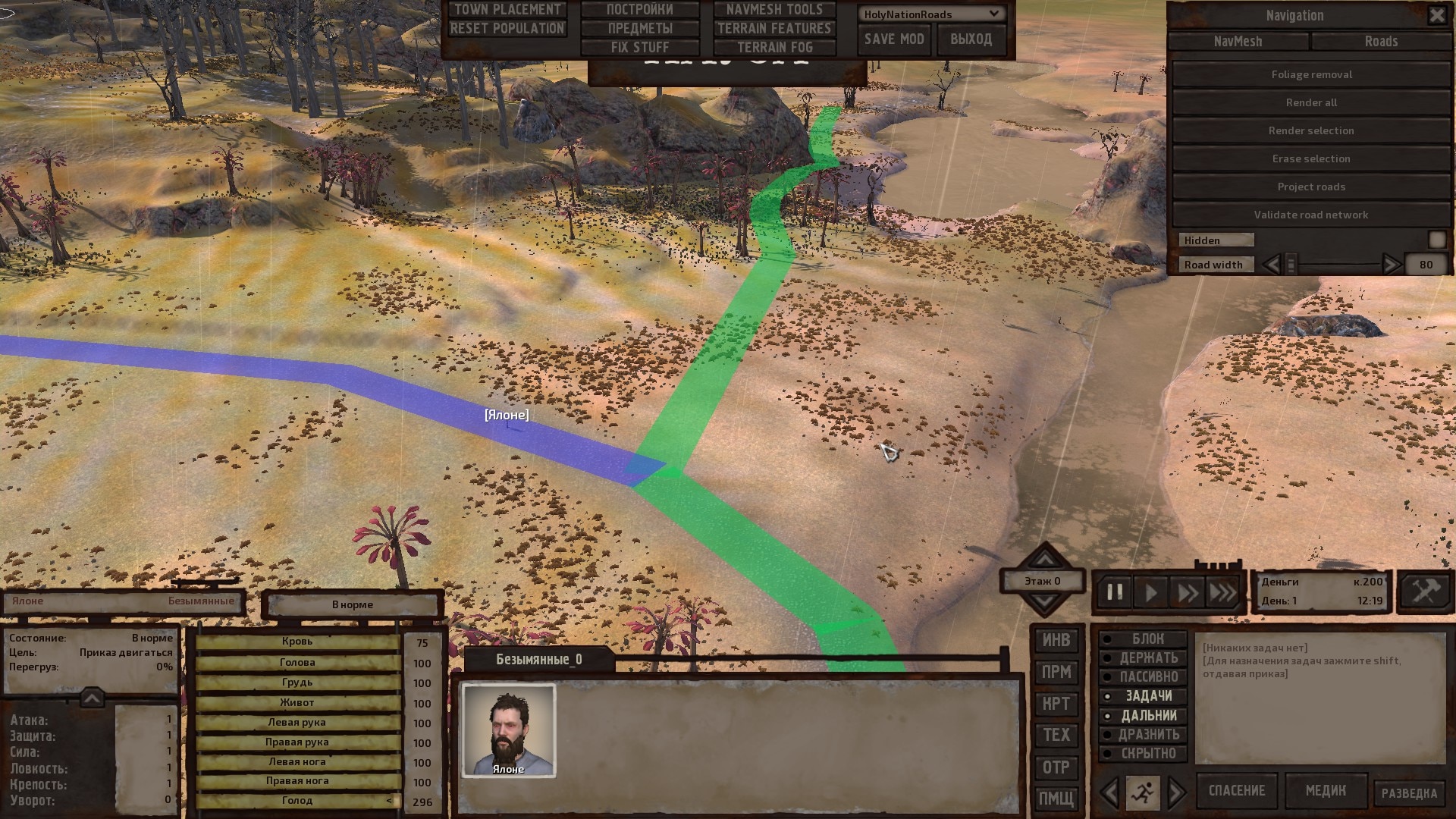
What do the colors that roads are displayed in this editor mean, and how to include custom paths in a shared network?