So, I've actually found a solution for this. Unfortunately, there isn't a "one size fits all".
The values I am using are for a horizontal measurement of 3840: an LG 38GN950. If you're using 5760 or 2560 or whatever, you will need to fiddle with the numbers.
Dark UI Original:
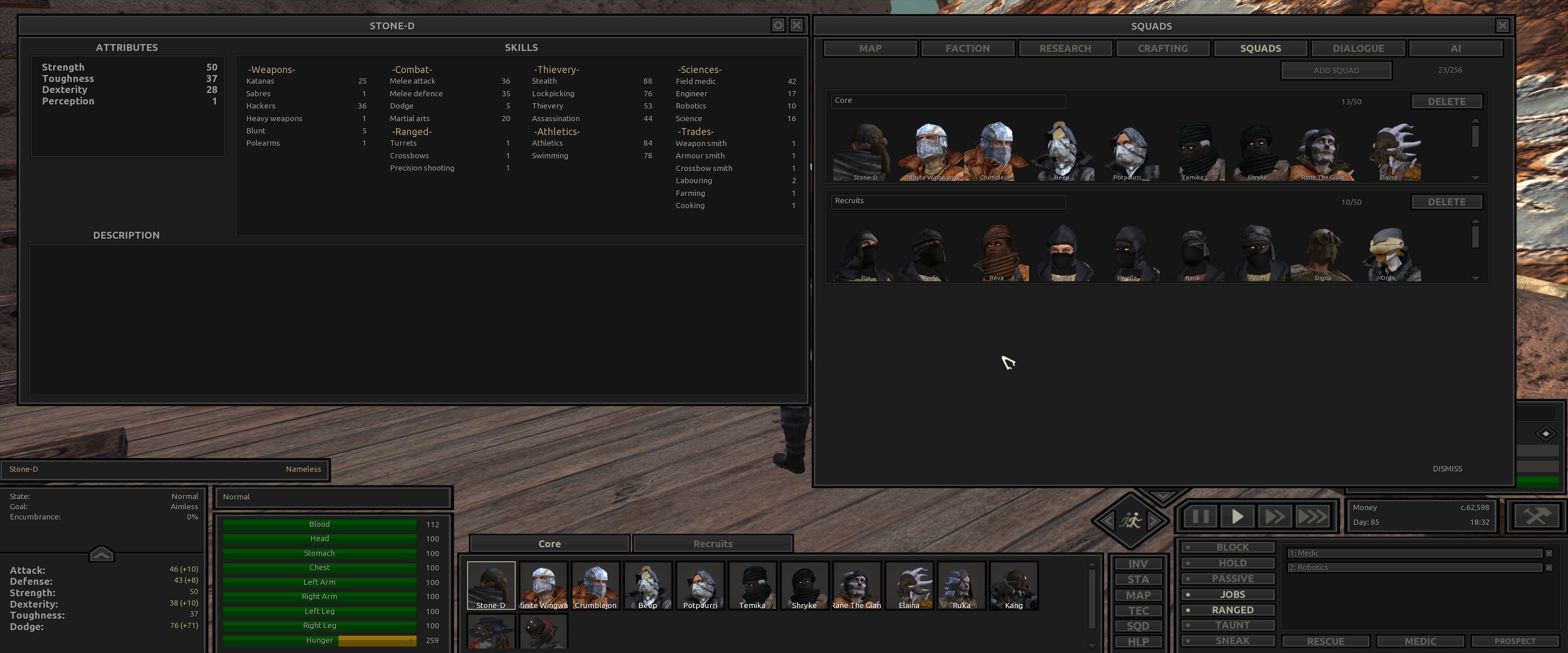
- DarkUI Original.jpg (735.58 KiB) Viewed 9752 times
Dark UI Modified:
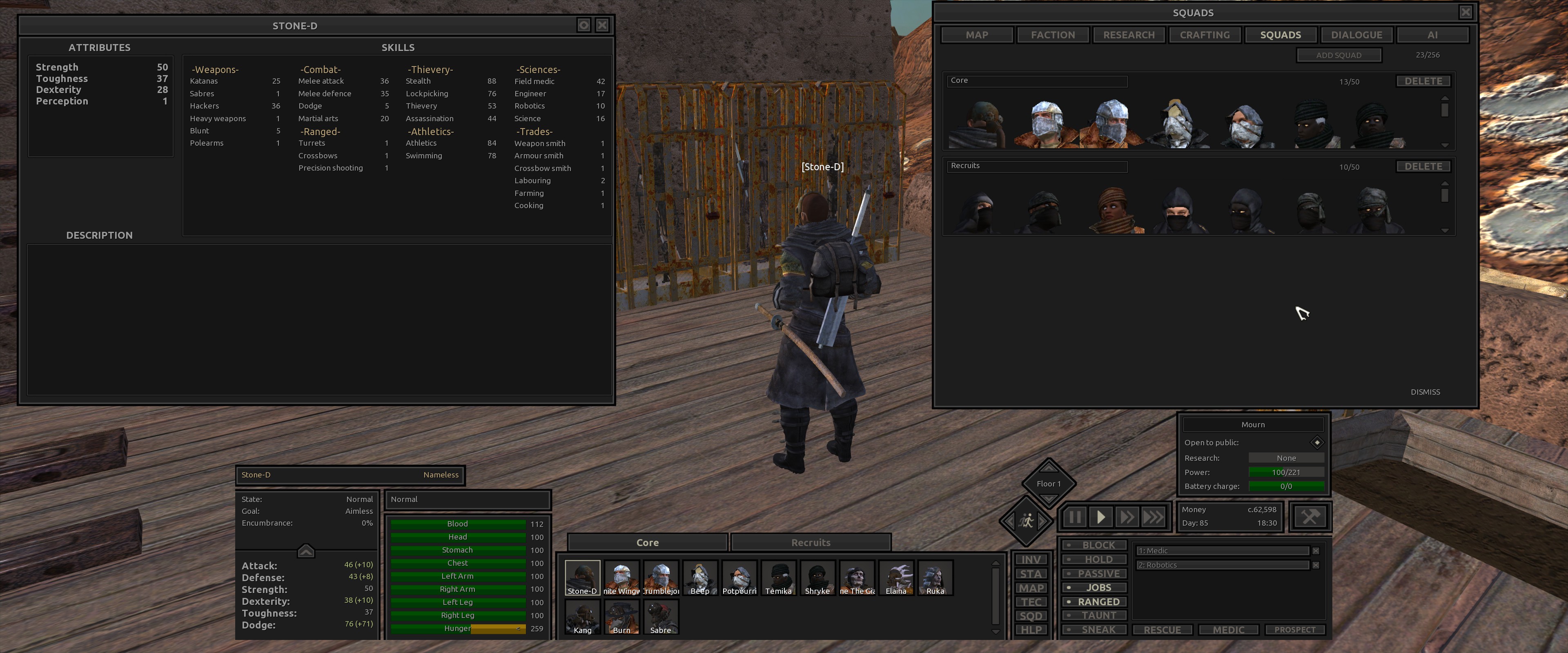
- DarkUI Modified.jpg (996.45 KiB) Viewed 9752 times
You need to modify the layout files. You can either edit them in place, or create a mod that serves this purpose (a blank one is fine, all you're doing is replacing files and not changing gameplay features). I took door number two, and used the Dark UI files as a basis as that's the UI I am using. This method works with the originals, though.
The files you need are in:
For the main interface, the most problematic, you need
Kenshi_MainPanel.layout.
For the build interface, Kenshi_BuildWindow.layout
These two are very similar, and the values are the same for the original and for Dark UI.
At the very top, find this line:
Code: Select all
<Widget type="Widget" skin="PanelEmpty" position_real="0 0 1 1" align="Stretch" layer="Middle" name="Root">
Change this to
Code: Select all
<Widget type="Widget" skin="PanelEmpty" position_real="0.15 0.08 0.7 0.9" align="Stretch" layer="Middle" name="Root">
For the Statistics window,
Kenshi_StatsWindow.layout.
At the very top, find this line. Original/Dark UI values differ, this is for Dark UI:
Code: Select all
<Widget type="Window" skin="Kenshi_WindowCXP" position_real="0 0 0.66093748807907104 0.60555553436279297" layer="Window" name="Root">
Change this to
Code: Select all
<Widget type="Window" skin="Kenshi_WindowCXP" position_real="0 0 0.5 0.60555553436279297" layer="Window" name="Root">
Basically, change the third number to 0.5. You'll need less at 5760, try 0.3.
For the map, squad management, research, etc, you need
Kenshi_OverviewWindow.layout
- DarkUI Modified.jpg (996.45 KiB) Viewed 9752 times
At the very top, find this line. Again, the values aren't identical but they are very close to the original:
Code: Select all
<Widget type="Window" skin="Kenshi_WindowCX" position_real="0 0 0.45104166865348816 0.73055553436279297" layer="Window" name="Root">
Change this to
Code: Select all
<Widget type="Window" skin="Kenshi_WindowCX" position_real="0 0 0.35104166865348816 0.63055553436279297" layer="Window" name="Root">
In this case, I've lowered the both the 3rd and 4th numbers.
Good luck.

