Photoshop DDS save help

Post Reply
Dune
Posts: 1
Joined: Mon Jan 07, 2019 9:50 am

Mon Jan 07, 2019 9:58 am

Hey all,

I'm attempting to save a modified normal map, but I'm not sure exactly what format I should set the NVIDIA DDS plugin exporter to, to make it right for Kenshi. Or, am I going about this wrong?

Here's the screenshot of the save dialog: There is a drop down on the first line with a ton of options. I can try them all, but I might be missing something and thought I'd ask the modding community here for your thoughts.
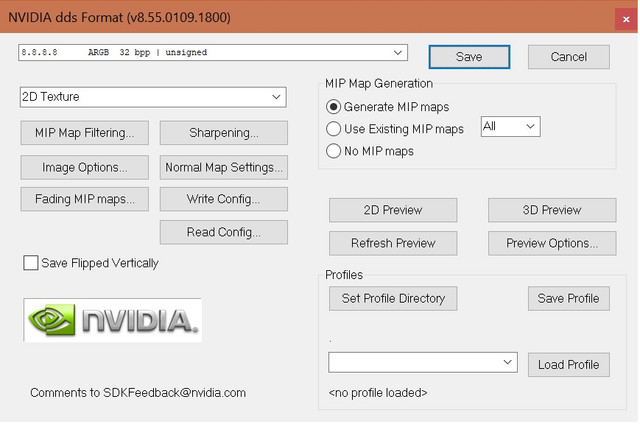
Image

oi__io
Posts: 29
Joined: Sat Feb 03, 2018 4:13 am

Tue Jan 08, 2019 9:10 am

If your texture have alpha, set it as DXT5.
Kenshi uses the dds format for textures. I recommend photoshop or gimp, but any program that can export as dds will work. Make sure mipmaps are correctly generated as some image converters don't create them causing textures to appear black.
If a texture uses the alpha channel, use DXT5 compression, use DXT1 if not.

Kenshi packs its gloss map into the alpha channel of the albedo texture.
The alpha channel of the normal map can be either either unused, alpha, or glow depending on the material type set in the construction set.
source

Post Reply
  • Information
  • Who is online

    Users browsing this forum: No registered users and 7 guests